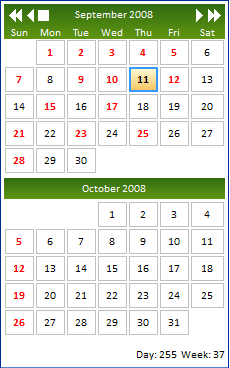
 Selecting
a day on the Calendar will affect the information displayed for the Appointments
and Tasks. To change from day to day within a month, simply click on a different
day in the Calendar window.
Older version: This help is for Time & Chaos 7, a discontinued version kept here for customers who still use it. For the current version, see the Time & Chaos help or Time & Chaos on our web site.
Selecting
a day on the Calendar will affect the information displayed for the Appointments
and Tasks. To change from day to day within a month, simply click on a different
day in the Calendar window.
If you want to change the month you are viewing, there are quite a few options available to you, depending on what you find easiest. At the top of the Calendar is a toolbar with Last Year, Last Month, Today, Next Month, and Next Year buttons.
You can also right-click on the calendar to see more navigation options including a GoTo date option which will allow you to move forward + or - a number of days or go directly to a desired date.
This help article applies to Time & Chaos 7