Older version: This help is for Time & Chaos 7, a discontinued version kept here for customers who still use it. For the current version, see the Time & Chaos help or Time & Chaos on our web site.
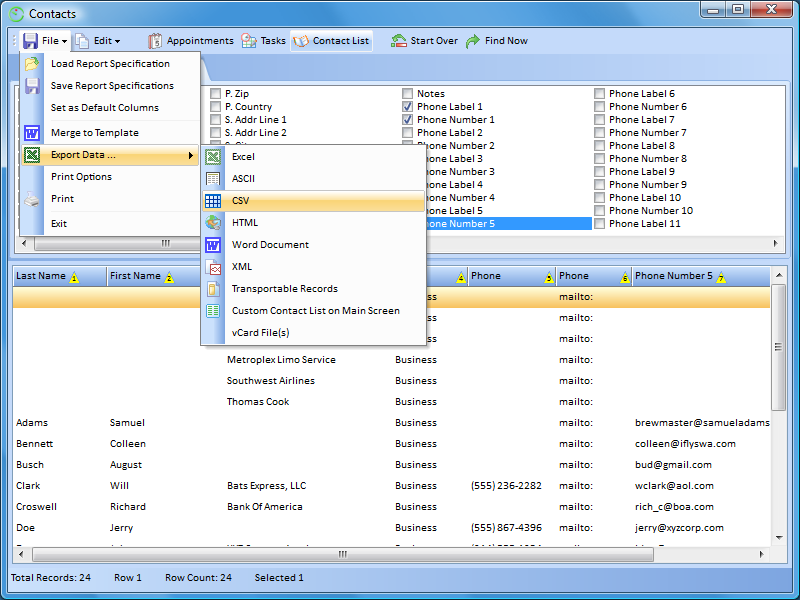
Data is exported from the Reports Screen. Export Options are found under the "File" Menu and include
Depending on the type of data you are reporting on, there is also an option to export vCards for Contact or a vCal file for Apointments.
Create a report of the data that you wish to export include the columns of data that you wish to export. Select Export from the File menu of the Report Screen.
This help article applies to Time & Chaos 7