Older version: This help is for Time & Chaos 7, a discontinued version kept here for customers who still use it. For the current version, see the Time & Chaos help or Time & Chaos on our web site.
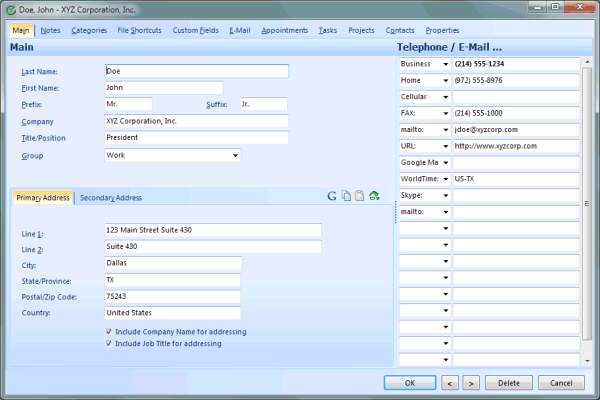
Creating new groups is easy. From within a data entry screen, whether it is a new or existing Appointment, Task, or a Contact you will find a field named Group where you can pick from a list of existing groups OR into which you can type the name of your new group you want to create. It can be any combination of letters and numbers limited to a maximum of 15 characters.
Here is a screen sample from a Contact. Notice that the group field is that last one in the top left section, just above the address fields:
This help article applies to Time & Chaos 7