Older version: This help is for Time & Chaos 7, a discontinued version kept here for customers who still use it. For the current version, see the Time & Chaos help or Time & Chaos on our web site.
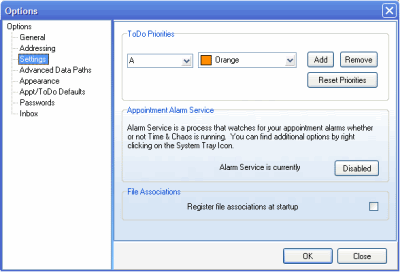
Of course! Under the TOOLS Menu on the Main Screen, select the menu option for OPTIONS.
Click the Add Button to Create a New Task Priority
Select a current Priority and change its color.
This help article applies to Time & Chaos 7